Start from extracted material
Create from a real quote, statistic, hook, insight, comparison, or key point—not a blank prompt.
Choose an extracted idea, select the visual direction, and build editable social graphics without losing the claim or attribution behind the asset.
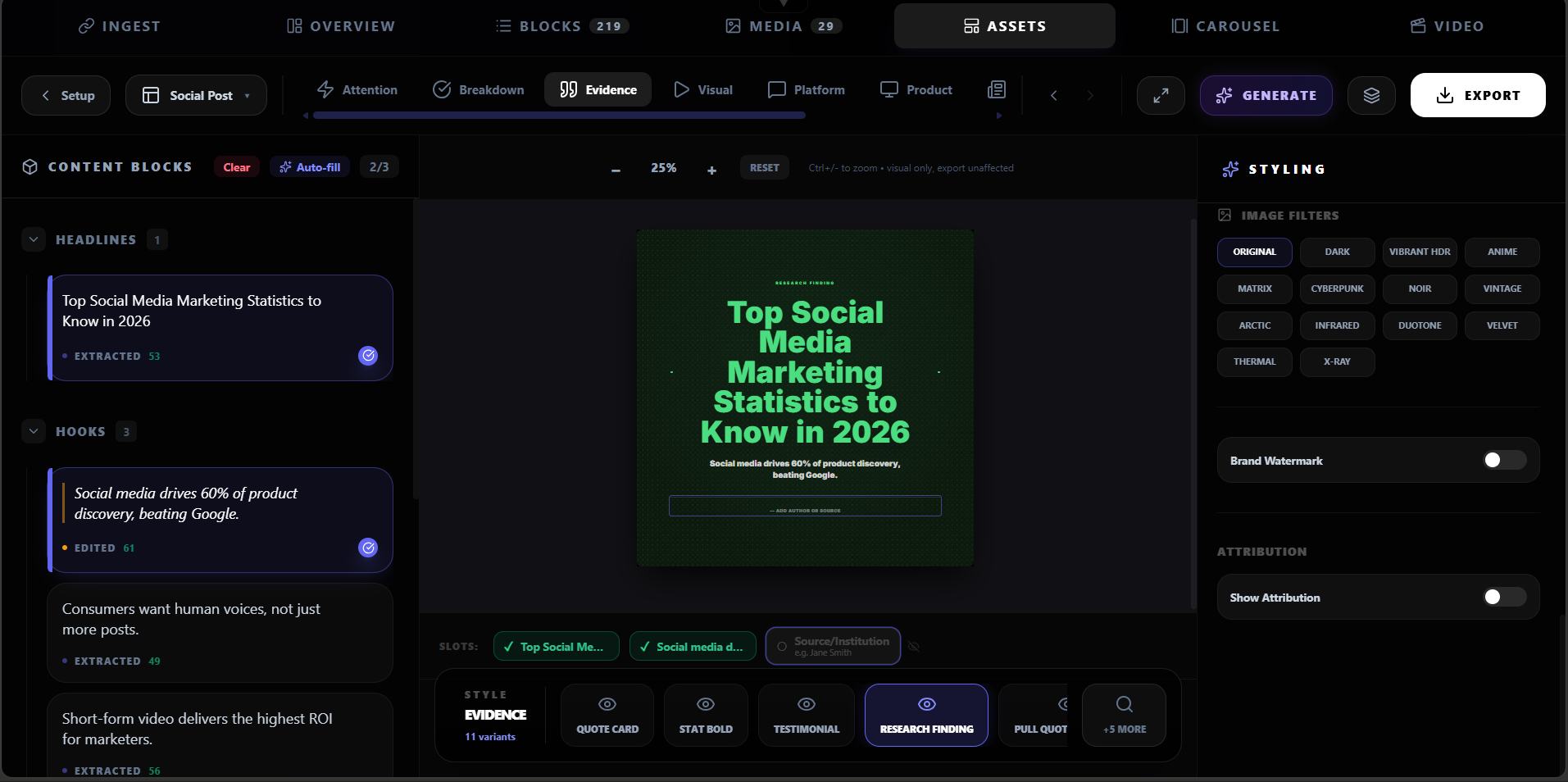
Feature highlight
Create from a real quote, statistic, hook, insight, comparison, or key point—not a blank prompt.
What you get
Create from a real quote, statistic, hook, insight, comparison, or key point—not a blank prompt.
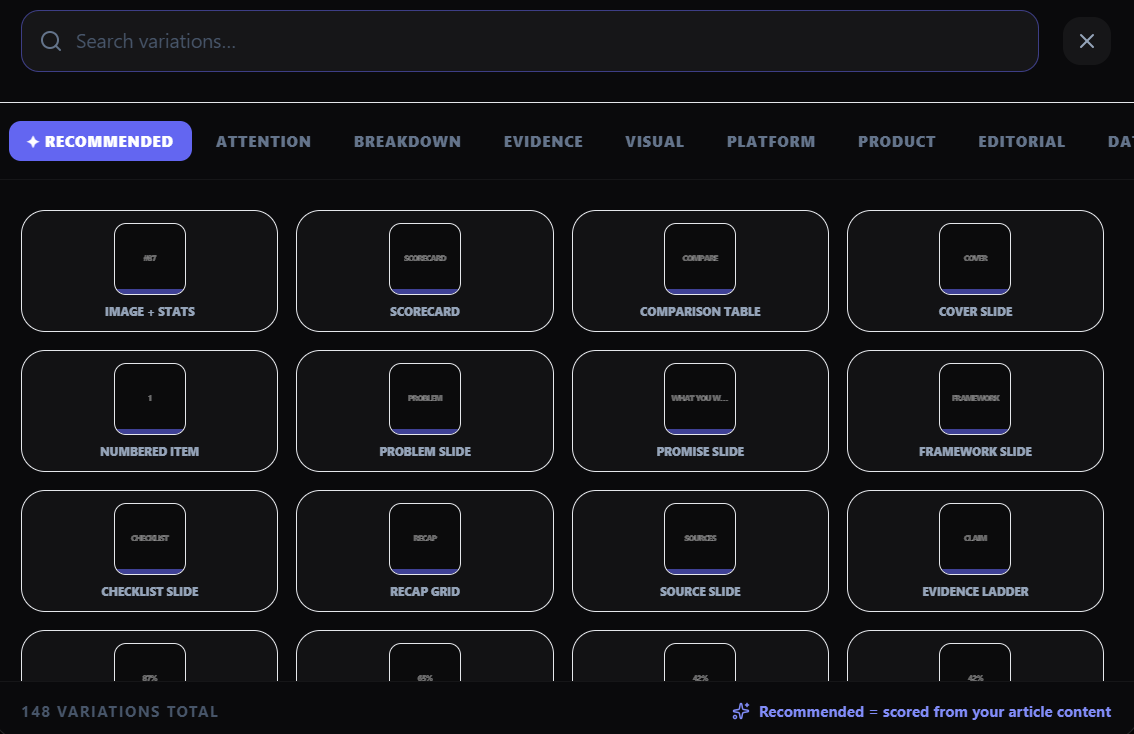
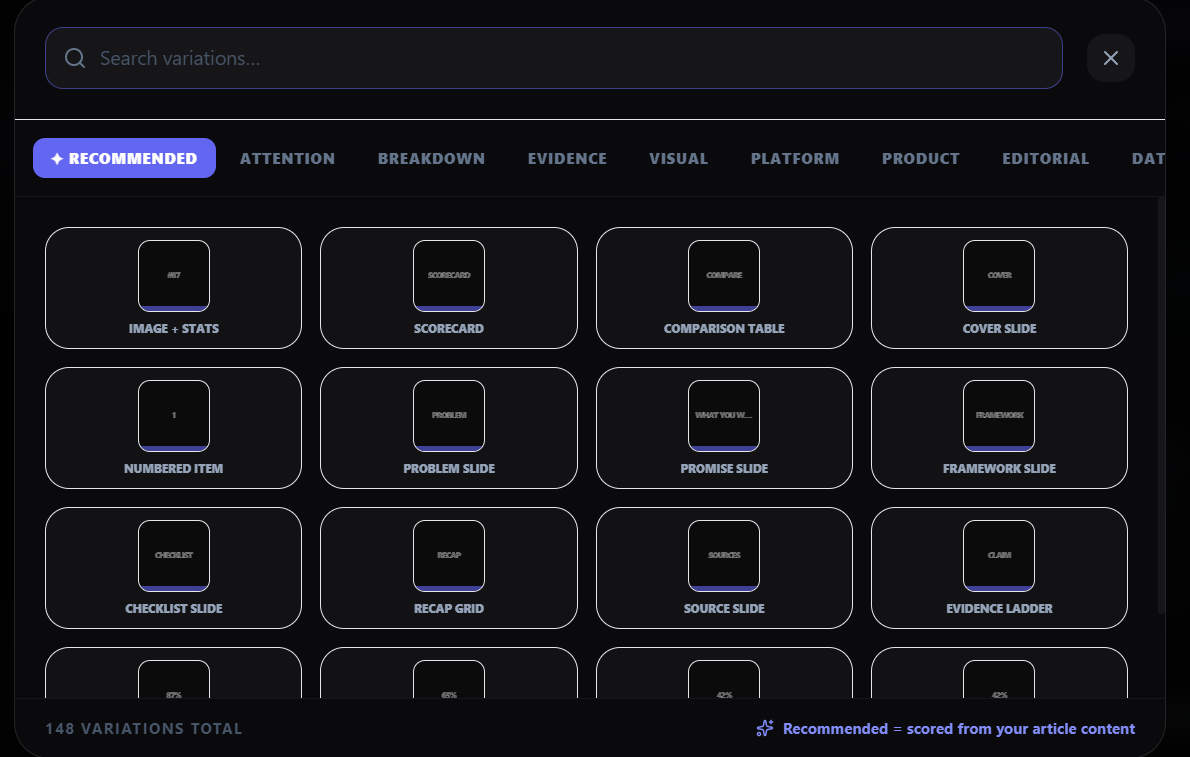
Use templates for quote, stat, list, comparison, source, photo, or multi-slot content.
Explore different scenes and treatments while keeping the message editable.
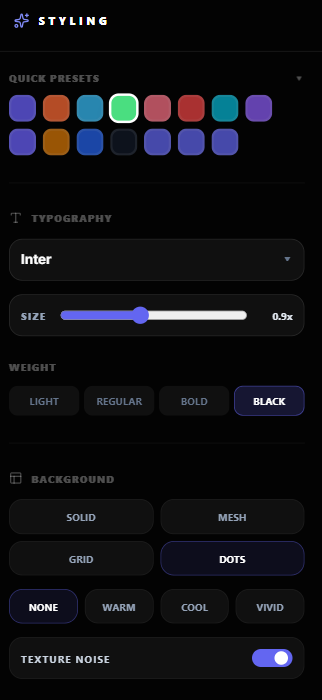
Use colors, typography, logo, watermark, handles, and frame rules before export.
How it works
Choose the proof point or message you want the visual to carry.
Choose a template category, ratio, and visual direction that fits the content.
Adjust copy, layout, imagery, typography, and attribution before export.
Download the final PNG or continue the selected idea into a carousel or caption.
Product screenshots
What you can create
A real quote in multiple treatments.
A number with context and source.
Two supported options shown clearly.
Why Highlightly
Highlightly starts from real source material, exposes what was extracted, lets you edit the creative direction, and exports with attribution intact.
Learn more
You can create quote cards, stat graphics, listicles, comparisons, source cards, photo treatments, multi-slot graphics, and carousel sequences.
Yes. The asset editor supports copy, layout, style, imagery, attribution, and brand controls before export.
Yes. Choose the ratio and treatment that match the platform and export the approved variations.
Try Highlightly
Review the extracted material, choose the output format, apply your brand kit, and export with source context still available.