Brand Kit Guide
Build a brand system once, then reuse it across every source-backed asset.
Brand Kit stores the identity, colors, type, watermarks, and frame recipes. Brand Studio is the full-page workspace for deeper setup. The sidebar is for fast contextual edits while you work.
Identity
Set brand name, tagline, website, social handles, logo shape, logo size, and the default social lockup platform.
Theme
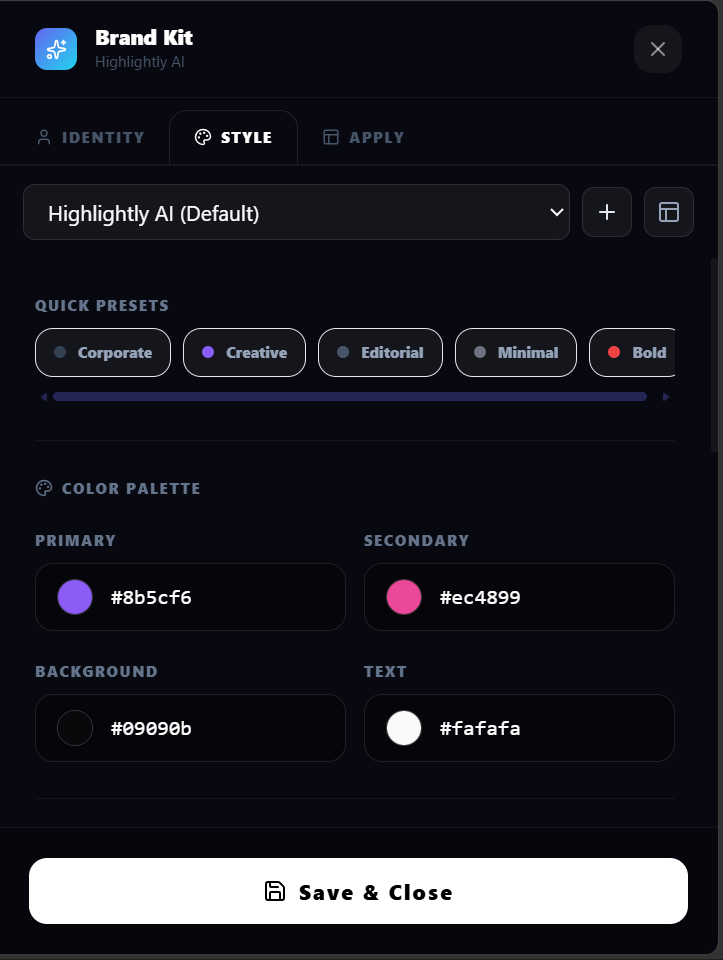
Use brand colors as a selectable Brand theme instead of tying color decisions to the global overlay toggle. Studio can suggest roles from an uploaded image.
Typography
Pick from the unified font catalog. Brand fonts can be exposed to surfaces without forcing them everywhere.
Watermark
Choose text, logo, or image watermark modes. Control opacity, size, placement, and tiled watermark behavior.
Frames
Frame recipes combine borders, rails, corner marks, source strips, progress markers, safe areas, token controls, and motif-level intensity/color-role editing.
Surface Rules
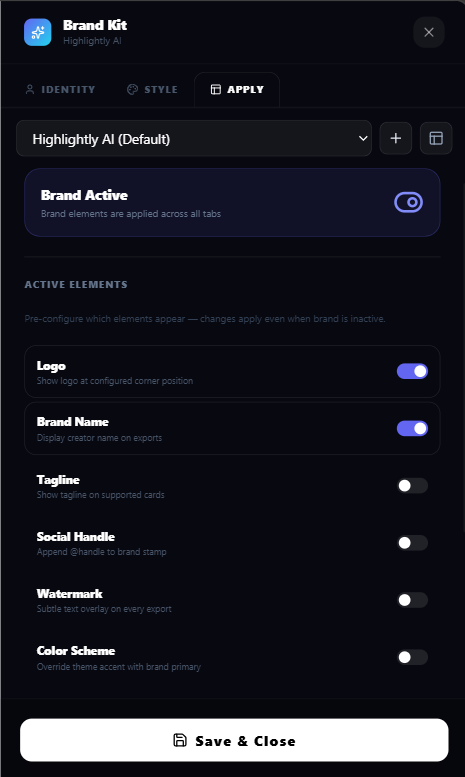
Enable or disable brand frame behavior across Overview, Blocks, Assets, Carousel, Screenshot, and Lightbox surfaces.
Suggested workflow
- 1. Add identity and social handles.
- 2. Upload logo and optional watermark image.
- 3. Extract colors from a reference image or set color roles manually.
- 4. Choose fonts and a watermark mode.
- 5. Choose a frame recipe and tune motifs/tokens in Frame Lab.
- 6. Review 9:16, 1:1, and 16:9 previews, then save the kit.
Brand controls in context
These product views show the controls this guide describes. Use the workspace to inspect the current options before exporting.